
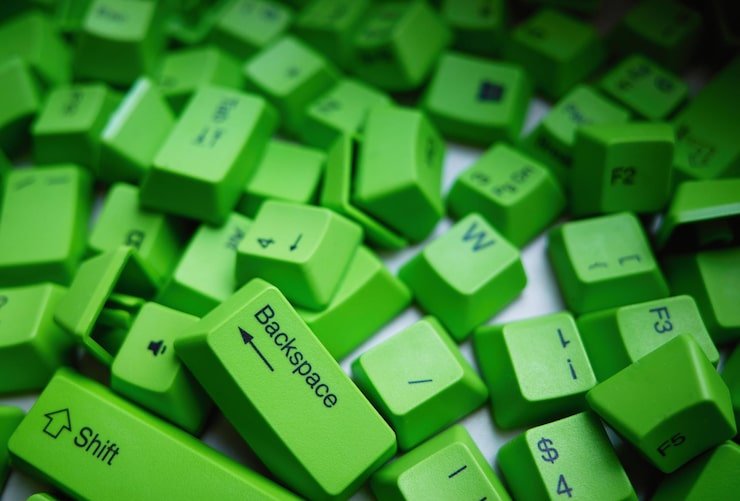
Choosing green keycaps is an easy way to give a mechanical keyboard a distinctive appearance without replacing the entire board. Green keycaps are available in many shades, including forest green, olive, emerald, mint, sage, lime, and darker military-inspired tones. Beyond color, buyers should consider material, profile, legend style, thickness, layout compatibility, and the overall design of their keyboard. Keycaps can influence how a keyboard looks, feels, and sounds, making them an important part of a customized setup.
Whether you are building a new mechanical keyboard or refreshing an existing one, selecting the right keycap set requires more than choosing a color. The correct combination of color, texture, profile, and compatibility can create a keyboard that is comfortable for daily typing and visually consistent with your desk setup.
What Are Keycaps?
Keycaps are the removable pieces positioned on top of keyboard switches. They are the part of a mechanical keyboard that your fingers directly touch when typing.
Although they may appear to be simple plastic components, keycaps can affect several aspects of the keyboard experience. Their shape influences finger positioning, while their material and thickness can affect texture and sound. The colors, legends, and design patterns also have a major effect on the appearance of the keyboard.
For mechanical keyboard enthusiasts, replacing keycaps is one of the easiest ways to customize an existing keyboard without changing the switches, PCB, plate, or case.
Why Choose Green for a Mechanical Keyboard?
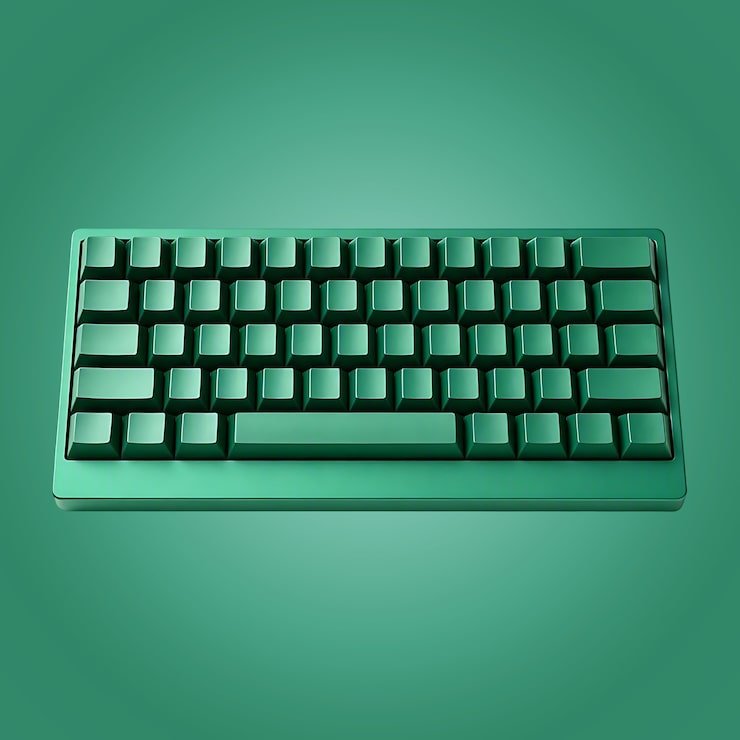
Green offers considerable flexibility because it can create very different visual styles depending on the shade.
A dark forest green can produce a traditional and sophisticated appearance. Emerald green can provide a more vibrant look, while sage and mint shades can create a softer aesthetic.
Green also works well with many complementary colors. White, cream, beige, black, gray, yellow, gold, and brown can all be incorporated into different keyboard color schemes.
Popular Green Color Styles
| Green Shade | Visual Character | Good Color Pairings |
|---|---|---|
| Forest green | Dark and sophisticated | Cream, white, black |
| Emerald | Rich and vibrant | Gold, white, black |
| Olive | Earthy and understated | Beige, brown, cream |
| Sage | Soft and modern | White, gray, cream |
| Mint | Light and fresh | White, pastel colors |
| Lime | Bright and energetic | Black, white, dark gray |
| Dark green | Bold and traditional | Gray, cream, brass |
The best shade depends largely on the atmosphere you want your keyboard setup to create.
PBT vs. ABS Keycaps
Material is one of the most important considerations when purchasing a keycap set.
The two materials encountered most frequently are PBT and ABS. Neither is automatically superior in every situation. Their surface characteristics, manufacturing possibilities, and appearance can differ.
PBT Keycaps
PBT, or polybutylene terephthalate, is popular among mechanical keyboard users because it commonly provides a textured surface and tends to resist the glossy appearance that can develop with heavy use.
PBT sets are frequently available in green colorways and can be particularly attractive when the goal is a slightly textured, premium-looking finish.
However, PBT quality varies between manufacturers. Thickness, texture, molding quality, and legend construction can all affect the final result.
ABS Keycaps
ABS, or acrylonitrile butadiene styrene, is another common keycap material.
ABS keycaps often have a smoother surface and are frequently used for doubleshot legends. With heavy use, ABS can develop a smoother or shinier surface over time.
This does not automatically mean that ABS keycaps are poor quality. High-quality ABS sets can provide excellent colors, crisp legends, and a smooth typing experience.
Material Comparison
| Feature | PBT | ABS |
|---|---|---|
| Typical surface | Textured | Often smoother |
| Shine resistance | Generally better | More likely to develop shine |
| Common legend method | Dye sublimation | Frequently doubleshot |
| Color availability | Wide | Wide |
| Feel | Textured to semi-smooth | Smooth to polished |
| Popular use | Custom and enthusiast keyboards | Gaming and enthusiast keyboards |
The actual quality of a specific set matters more than the material name alone.
Choosing the Right Keycap Profile
Keycap profile refers to the shape and height of the keycaps.
Common profiles include Cherry, OEM, SA, DSA, and XDA. Each can provide a different typing experience.
Cherry Profile
Cherry profile is relatively low compared with taller profiles and has a sculpted shape. It is widely used in aftermarket keycap sets and is a familiar choice for many mechanical keyboard users.
A green Cherry-profile set can work well when you want a modern appearance without dramatically changing the typing feel.
OEM Profile
OEM is another widely used sculpted profile. Many keyboards come with OEM-style keycaps, making the transition to another OEM set relatively familiar.
It is a practical option for users who want a customized color without experimenting with a radically different key shape.
SA Profile
SA keycaps are considerably taller and have a distinctive sculpted design. They can create a retro or enthusiast-oriented appearance.
Green SA keycaps can work especially well with vintage-inspired keyboard builds.
XDA Profile
XDA keycaps have a relatively uniform shape across the rows. They can create a clean and minimalist appearance.
They are useful for people who prefer a consistent key shape rather than strongly sculpted rows.
DSA Profile
DSA is another uniform-profile option. Its relatively consistent shape gives users flexibility when arranging keys, although physical key sizes still need to match the keyboard layout.
Profile selection is ultimately a matter of preference. Compatibility should be confirmed before considering aesthetics.
Green Keycap Themes
Green is particularly useful for themed keyboard designs.
Nature-Inspired Theme
A nature-inspired keyboard can combine forest green with cream, beige, brown, or muted gray.
This style works well with wooden desks and neutral accessories. It can create an organic appearance without being excessively bright.
Botanical Theme
A botanical design may combine multiple green shades with white or cream legends.
Different shades can be used for modifier keys, function keys, or accent keys, producing a layered visual effect.
Gaming Theme
A gaming-oriented design can use dark green with black or gray. Brighter green accent keys can then be added to specific areas.
This creates a stronger contrast while maintaining a cohesive theme.
Retro Theme
Dark green combined with cream, beige, brown, or orange can create a retro-inspired aesthetic.
This type of color scheme works particularly well with vintage-style keyboard cases and classic-looking desk accessories.
Green and White Keycap Combinations
Green and white are one of the easiest combinations to work with.
A darker green can provide the primary color while white keycaps are used for modifiers or accent keys. Alternatively, a mostly white keyboard can use several green keys as highlights.
This approach gives the keyboard a clean appearance without making every key the same shade.
Cream can be substituted for bright white if you want a warmer vintage aesthetic.
Green and Black Keycap Combinations
Black creates strong contrast with green.
A dark green and black combination can produce a professional appearance, while brighter green accents can create a more energetic gaming style.
One effective approach is to use green for alphanumeric keys and black for modifiers. Another is to use black as the dominant color with green accent keys around the arrow cluster and function row.
Green and Beige or Cream
For a warmer design, cream and beige are useful complements to green.
This combination is especially suitable for nature-inspired, vintage, and minimalist setups.
Olive, sage, and forest green tend to work particularly well with warm neutral colors.
Green Gradient Keycaps
Gradient designs use multiple shades rather than a single green.
A set may transition from light mint to medium green and eventually to a darker forest shade.
Gradient keycaps can provide visual depth without requiring several different colors.
When selecting a gradient set, consider how the colors will be arranged across the keyboard. Some designs transition from left to right, while others use darker colors around the edges or center.
Keycap Legends
Legends are the letters, numbers, and symbols displayed on keycaps.
Several methods are used to create legends, including doubleshot molding, dye sublimation, pad printing, and other manufacturing processes.
Doubleshot Legends
Doubleshot keycaps are manufactured using separate pieces of plastic for the keycap body and legend. This allows the legend to become part of the keycap rather than simply being printed onto the surface.
They are particularly popular for crisp and durable legends.
Dye-Sublimated Legends
Dye sublimation transfers dye into the surface of the keycap.
This method is frequently used with PBT keycaps and can support detailed designs. It is common in many enthusiast-oriented sets.
The choice between these methods depends on the material, design, and manufacturer’s manufacturing process.
Shine-Through Green Keycaps
If your keyboard uses RGB lighting, shine-through keycaps may be worth considering.
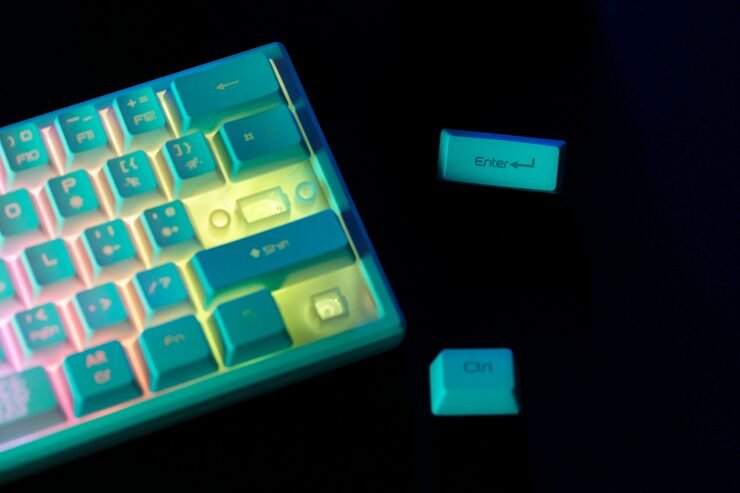
These keycaps are designed to allow light from the switches or LEDs to pass through the legends.
Green keycaps with transparent or translucent legends can produce a distinctive appearance when RGB lighting is enabled.
However, not every green keycap set is designed for shine-through lighting. If backlighting is important, check the product specifications carefully.
Compatibility Is More Important Than Color
A keycap set can look perfect but still fail to fit your keyboard.
Compatibility depends on several factors, including the switch stem, keyboard layout, key sizes, spacebar size, and special keys.
Many mechanical keyboards use an MX-style cross stem, but low-profile and proprietary systems can require different keycaps.
Keyboard size labels such as 60%, 65%, 75%, TKL, and full-size are useful, but they do not guarantee that every keycap set will fit.
Two keyboards with the same general size can have different bottom-row configurations or Shift and spacebar dimensions.
Compatibility Checklist
| Item | What to Check |
|---|---|
| Switch stem | Confirm compatible mounting style |
| Layout | ANSI, ISO, or another arrangement |
| Spacebar | Verify exact size |
| Shift keys | Check unusual sizes |
| Bottom row | Compare modifier widths |
| Profile | Confirm preferred shape and row arrangement |
| Special keys | Check compatibility with included kit |
Always compare the keycap manufacturer’s compatibility chart with your actual keyboard.
Keycap Size and the Meaning of “u”
Mechanical keyboard key sizes are often expressed in units, or “u.”
A standard letter key is generally 1u wide. Larger keys such as Shift and Spacebar can measure multiple units.
This measurement becomes important when replacing keycaps because a keycap set may not include every size required by your keyboard.
For example, a non-standard keyboard layout may require a different Shift or spacebar size from a standard full-size keyboard.
Checking the complete kit contents before purchasing can prevent compatibility problems.
Green Keycaps for Different Keyboard Sizes
Green keycaps can be used on many keyboard formats, including:
- 40% keyboards
- 60% keyboards
- 65% keyboards
- 75% keyboards
- TKL keyboards
- Full-size keyboards
- Alice-style keyboards
- Ergonomic layouts
- Custom mechanical keyboards
However, the keycap kit must contain the correct key sizes.
Compact keyboards often have unusual modifier or bottom-row configurations, so checking the layout is particularly important.
How Green Keycaps Affect Keyboard Sound
Keycaps can contribute to the overall sound of a mechanical keyboard.
Material, thickness, profile, and construction can influence the acoustic characteristics of a keyboard. However, keycaps are only one part of the system. Switches, plate material, case construction, mounting method, and foam can also influence sound.
Thicker keycaps may produce a different sound from thin keycaps, while different materials can create subtle variations.
If sound is important to you, consider the complete keyboard rather than choosing keycaps based only on color or material.
How to Install New Keycaps
Replacing keycaps is generally a straightforward process.
First, disconnect the keyboard if appropriate and place it on a clean, stable surface. Use a keycap puller to remove the existing caps rather than pulling aggressively with your fingers.
After removing the old keycaps, inspect the switches and stabilizers.
Then install the new caps by aligning each stem with the switch and pressing gently until the keycap is seated.
Pay particular attention to stabilized keys such as the Spacebar, Shift, Enter, and Backspace.
After installation, test every key to make sure it registers correctly and sits evenly.
Maintaining Your Keycaps
Regular cleaning can help maintain the appearance of a keycap set.
Dust can be removed with a soft brush or compressed air used appropriately around the keyboard. For removable keycaps, users can clean them separately using a suitable method based on the manufacturer’s material recommendations.
Avoid harsh chemicals or excessive moisture.
If the keycaps are removed for cleaning, allow them to dry completely before reinstalling them.
Keeping the keyboard away from excessive sunlight and heat can also help preserve plastics and printed designs.
How to Choose the Right Green Set
Start with compatibility rather than appearance.
Once you know that a set will fit your keyboard, compare the material and profile. Decide whether you prefer a textured PBT surface or the smoother feel commonly associated with ABS.
Next, consider the shade of green.
Dark green is suitable for understated designs. Emerald and brighter shades are more noticeable, while sage and mint can create a softer aesthetic.
Finally, consider the legends, accent keys, thickness, lighting compatibility, and overall theme.
Quick Selection Guide
| Your Preference | Suitable Direction |
|---|---|
| Professional look | Dark green with black or cream |
| Nature theme | Forest or olive green |
| Soft aesthetic | Sage or mint |
| Gaming setup | Dark green with bright accents |
| Retro design | Green with cream or beige |
| RGB lighting | Shine-through-compatible set |
| Textured feel | PBT |
| Smooth feel | ABS |
| Familiar typing feel | Cherry or OEM |
| Uniform profile | XDA or DSA |
Common Mistakes to Avoid
One of the most common mistakes is purchasing a set based only on its appearance.
A beautiful green design is not useful if the key sizes do not match your keyboard.
Another mistake is assuming that every mechanical keyboard uses the same switch stem. Low-profile and proprietary keyboards may require specialized keycaps.
Buyers should also avoid assuming that PBT automatically means premium quality. Manufacturing quality, thickness, molding, texture, and legends all matter.
Finally, remember that RGB compatibility depends on the keycap design and the position of the lighting system. Not every colorful set is suitable for shine-through effects.
Key Points to Remember
- Green keycaps are available in many shades and designs.
- Forest, emerald, olive, sage, mint, and lime are popular green styles.
- PBT commonly provides a textured feel and good resistance to shine.
- ABS is often smoother and is frequently used for doubleshot designs.
- Cherry and OEM are familiar sculpted profiles.
- SA provides a taller, more distinctive appearance.
- XDA and DSA provide relatively uniform profiles.
- Always check switch-stem and layout compatibility.
- Spacebar and bottom-row sizes can cause compatibility problems.
- Shine-through sets can complement RGB keyboards.
- Keycap material and thickness can influence keyboard sound.
- Color should be considered after physical compatibility has been confirmed.
Final Thoughts
Green keycaps offer an effective way to personalize a mechanical keyboard while keeping the rest of the hardware unchanged. The wide range of green shades makes it possible to create everything from subtle professional setups to bold gaming keyboards and nature-inspired custom builds.
However, appearance should not be the only consideration. Material, profile, legend construction, thickness, layout, switch compatibility, and key sizes all contribute to the final result.
The best approach is to identify your keyboard’s exact layout and switch type first. Once compatibility is confirmed, choose the green shade, material, profile, and design that match your preferred typing experience and overall desk aesthetic. With the right combination, a relatively simple keycap replacement can give an existing keyboard an entirely new character.
Frequently Asked Questions
Are green keycaps compatible with every mechanical keyboard?
No. Compatibility depends on the switch stem, keyboard layout, key sizes, spacebar, and other physical characteristics. Standard MX-style keycaps fit many mechanical keyboards, but low-profile and proprietary systems may require specialized sets.
Which material is better for green keycaps, PBT or ABS?
Neither is universally better. PBT is commonly chosen for its texture and resistance to shine, while ABS is often preferred for its smoother feel and availability in doubleshot designs. The quality of the specific set is also important.
Can green keycaps work with RGB lighting?
Yes, but the effect depends on the keycap construction. Shine-through keycaps are designed to allow lighting to pass through the legends, while opaque keycaps will produce a different effect.
What green shade is best for a mechanical keyboard?
The choice depends on the desired aesthetic. Forest and dark green create an understated appearance, emerald can provide a richer look, while sage and mint offer softer styles. Olive is particularly suitable for earthy or vintage-inspired designs.
Can changing keycaps change keyboard sound?
Yes. Keycap material, thickness, profile, and construction can influence the sound of a keyboard. However, switches, the case, plate, mounting system, and other components also contribute significantly to the overall acoustic character.
One thought on “Green Keycaps: A Complete Guide to Styles, Materials, Profiles, and Compatibility”