
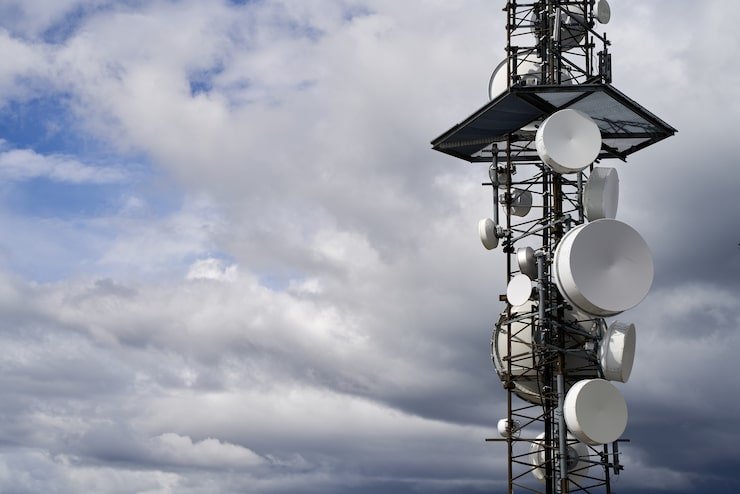
A wifi tower is generally an outdoor wireless networking installation designed to provide connectivity across a larger area than a standard indoor router can cover. The term is commonly used for access points, antennas, wireless bridges, or fixed-wireless equipment mounted on poles, rooftops, masts, or communication structures. Unlike a conventional home router, an elevated wireless installation can be positioned to improve line of sight and distribute network access across campuses, farms, public spaces, commercial properties, construction sites, and other outdoor environments. The tower itself does not automatically create an internet connection; the wireless equipment and its connection to an upstream network determine how the system works.
What Is a WiFi Tower?
The phrase WiFi tower does not describe one specific standardized piece of networking hardware. In everyday use, it can refer to several different outdoor wireless configurations. A pole or tower may simply provide a mounting location for wireless access points, antennas, radios, or point-to-point equipment.
The actual networking function comes from the equipment attached to the structure. Depending on the installation, that equipment may provide local Wi-Fi coverage, connect two buildings, serve fixed wireless customers, or extend an existing network to an outdoor location.
This distinction is important because a tall structure alone does not guarantee better wireless service. Antenna design, frequency, transmit power, network capacity, interference, terrain, and the capabilities of connected devices all affect real-world performance.
Common Equipment Mounted on a Tower
| Equipment | Main Purpose | Typical Environment |
|---|---|---|
| Outdoor access point | Provides Wi-Fi coverage | Campuses, parks, offices |
| Directional antenna | Creates focused wireless links | Building-to-building connections |
| Wireless bridge | Connects separate networks | Warehouses, offices, farms |
| Fixed-wireless radio | Delivers broadband wirelessly | Rural and remote areas |
| Sector antenna | Covers a planned area | Large outdoor networks |
| Mesh access point | Extends an existing wireless network | Campuses and large properties |
How Does a WiFi Tower Work?
A wireless tower installation normally depends on an upstream network connection. That connection can come through fiber, Ethernet, microwave, or another suitable backhaul technology. The network then reaches an outdoor access point or wireless radio, which communicates with compatible devices.
A simplified connection path looks like this:
Internet or upstream network → router or gateway → wired/wireless backhaul → outdoor wireless equipment → client devices
When a laptop, smartphone, camera, or other compatible device connects, the wireless access point handles communication between the device and the wider network. Authentication and encryption help protect the connection, while the network infrastructure manages addressing and traffic.
The structure provides elevation, while the radio equipment performs the wireless communication. This is why the quality of the radio hardware and network design can matter more than the physical height of the tower.
Why Is Height Important for Wireless Networks?
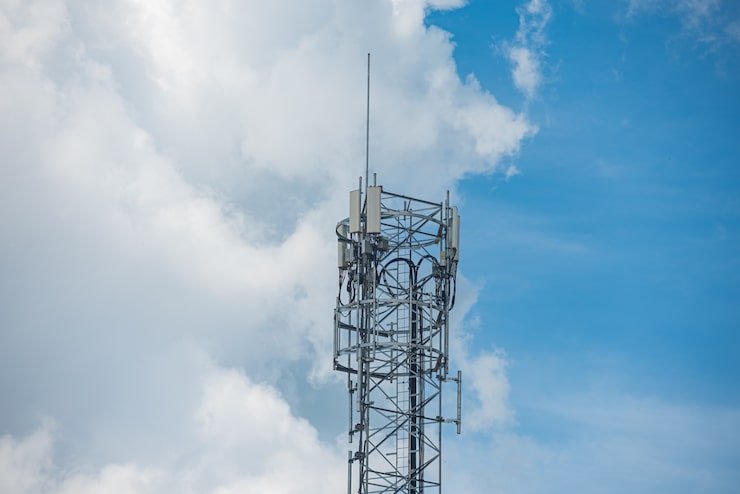
Installing wireless equipment at an elevated position can reduce some physical obstructions. Buildings, trees, vehicles, walls, and uneven terrain can interfere with wireless signals. Raising the antenna can therefore improve the available line of sight between two wireless points.
However, height does not automatically produce unlimited range.
Wireless performance depends on several factors:
- Antenna gain and design
- Antenna orientation
- Transmit and receive capabilities
- Frequency band
- Channel width
- Physical obstructions
- Terrain and vegetation
- Radio interference
- Number of connected devices
- Backhaul capacity
- Local regulatory requirements
A particularly important point is that wireless communication works in both directions. An access point may transmit a strong signal toward a smartphone, but the smartphone has limited transmit power and a much smaller antenna. Therefore, a network must be designed around the capabilities of both sides of the connection.
WiFi Tower vs. Cell Tower
A WiFi installation and a cellular tower may look similar from the outside, but they perform different networking functions.
Wi-Fi normally uses IEEE 802.11 wireless networking standards for local network connectivity. Cellular networks use technologies such as LTE and 5G and connect devices to a mobile operator’s network.
| Feature | Wi-Fi Installation | Cellular Tower |
|---|---|---|
| Primary technology | IEEE 802.11 | LTE, 5G and related technologies |
| Typical users | Local Wi-Fi devices | Mobile subscribers |
| Network destination | Local network or internet gateway | Cellular operator network |
| Common deployment | Homes, campuses, businesses, public areas | Wide-area mobile coverage |
| Equipment | Access points, bridges, antennas | Cellular radios, antennas, base-station equipment |
| Spectrum | Often uses unlicensed bands | Primarily licensed cellular spectrum |
A cellular tower can also physically host Wi-Fi equipment. Therefore, the appearance of a tower does not necessarily tell you which wireless technology it supports.
Common Uses of Outdoor WiFi Tower Installations
Outdoor wireless infrastructure can support many different applications. The appropriate configuration depends on the coverage area, number of users, available backhaul, and required performance.
Rural Internet
In areas where fiber or cable infrastructure is difficult to deploy, fixed wireless can provide an alternative method of delivering broadband. A wireless provider can use elevated equipment to communicate with customer premises equipment installed at homes or businesses.
Line of sight is particularly important for many fixed-wireless systems because buildings, hills, trees, and other obstacles can weaken or block the radio path.
Schools and Educational Campuses
Large schools and colleges may require wireless coverage across classrooms, courtyards, sports fields, libraries, and administrative areas. Outdoor access points can help connect locations that are difficult to serve using indoor equipment alone.
Farms and Agricultural Properties
Large agricultural properties can use outdoor wireless networks for cameras, sensors, farm-management equipment, employee devices, and automated systems. A wireless bridge can also connect separate buildings without requiring a physical cable between every structure.
Warehouses and Industrial Sites
Industrial facilities often have large outdoor areas where wireless connectivity is useful for scanners, security cameras, inventory systems, vehicles, and employee devices.
Public Wi-Fi Areas
Parks, event venues, transportation facilities, and commercial properties may deploy outdoor access points to provide controlled wireless access to visitors.
Benefits of Using Elevated Wireless Equipment
A properly designed outdoor wireless installation can offer several advantages.
Wider Coverage
Elevated equipment can provide coverage across larger outdoor areas than a typical indoor router. The actual coverage depends on the antenna pattern, environment, radio characteristics, and client equipment.
Flexible Deployment
Wireless infrastructure can reduce the need to install physical network cables across every part of a large property. This can be particularly useful where trenching or cabling is expensive or impractical.
Building-to-Building Connectivity
Directional wireless equipment can connect two buildings when installing a dedicated cable between them is difficult.
Scalability
Multiple access points or wireless sectors can be deployed as an area grows. Network administrators can adjust coverage, channels, capacity, and equipment based on demand.
Support for IoT Devices
Outdoor wireless networks can connect cameras, environmental sensors, agricultural devices, monitoring systems, and other Internet of Things equipment.
WiFi Tower Setup: Important Components
A reliable installation involves much more than an antenna mounted on a pole.
1. Wireless Access Point
The access point provides the radio interface through which client devices connect to the network. Outdoor models should be designed for environmental exposure.
2. Antenna
The antenna influences coverage direction and signal characteristics. Omnidirectional antennas distribute signals around an area, while directional antennas concentrate energy toward a particular direction.
3. Backhaul
The backhaul carries traffic between the outdoor wireless equipment and the main network. Fiber and Ethernet can provide wired backhaul, while wireless bridges can provide a wireless alternative.
4. Power
Outdoor equipment needs dependable power. Power over Ethernet can simplify deployment by allowing data and electrical power to travel through compatible network cabling.
5. Network Security
Wireless networks should use appropriate encryption, authentication, access controls, and administrative protections. Security should be considered during the initial design rather than added only after deployment.
Key Points to Consider Before Installation
Before installing outdoor wireless equipment, consider these factors:
- Determine the exact area that needs coverage.
- Identify buildings, trees, hills, and other obstacles.
- Estimate the number of simultaneous users.
- Select appropriate frequency bands and channels.
- Plan the backhaul before selecting access points.
- Check power and cabling requirements.
- Use weather-appropriate outdoor equipment.
- Consider grounding and physical safety.
- Configure strong wireless security.
- Test coverage and performance after installation.
In India, larger wireless communication infrastructure can also involve regulatory requirements. The Department of Telecommunications describes SACFA clearance as part of the regulatory process for applicable wireless communication infrastructure, while certain low-power or indoor Wi-Fi installations may fall under exemption categories. Requirements depend on the type, location, height, power, and purpose of the installation.
WiFi Tower Range: What Determines It?
There is no single range number that applies to every outdoor wireless tower. A manufacturer may advertise a maximum distance under particular conditions, but actual performance can be considerably different.
| Factor | Effect on Wireless Coverage |
|---|---|
| Antenna type | Determines how the signal is distributed |
| Antenna height | Can improve line of sight |
| Frequency | Affects propagation and available capacity |
| Transmit power | Influences signal strength within permitted limits |
| Terrain | Hills and uneven ground can block signals |
| Trees and buildings | Can weaken or obstruct radio paths |
| Interference | Can reduce reliability and throughput |
| Client device | Determines the return-link capability |
| Backhaul | Limits overall network capacity |
For this reason, network designers generally need to evaluate the environment instead of relying solely on advertised range figures.
WiFi Tower vs. WiFi Extender
A Wi-Fi extender and an outdoor tower installation solve different problems.
An extender typically receives a wireless signal and retransmits it to reach an area where the original access point is weaker. This can be useful for homes and smaller properties.
A professionally designed outdoor wireless installation can use dedicated access points, directional antennas, wired backhaul, or wireless bridges. It can therefore support substantially different network layouts.
The important difference is that an extender does not magically increase the capacity of the internet connection. It simply helps move the wireless network farther from the original access point.
Common Problems With Outdoor Wireless Networks
Weak Signal
Weak signal can result from excessive distance, poor antenna orientation, obstacles, or unsuitable equipment placement.
Strong Signal but Slow Internet
A strong wireless signal does not necessarily mean the internet connection is fast. The problem may be congestion, limited backhaul, an overloaded access point, or insufficient upstream bandwidth.
Interference
Nearby wireless networks and other radio sources can create congestion. Careful channel planning and equipment placement can reduce some interference problems.
Weather and Environmental Damage
Outdoor equipment must be designed for exposure to moisture, heat, dust, and changing temperatures. Poor protection can lead to equipment failure.
Power Interruptions
Even a well-designed wireless network can stop working when its access points, switches, or backhaul equipment lose power. Backup power can improve availability for critical installations.
How to Improve WiFi Tower Performance

Start with a site survey rather than immediately purchasing equipment. Identify the locations where users or devices will connect and determine where wireless equipment can provide appropriate coverage.
Next, evaluate the backhaul. There is little benefit in installing a high-performance access point if the connection feeding it is too slow.
Antenna orientation should also be carefully planned. Directional equipment should be aimed accurately, while sector and omnidirectional antennas should be positioned according to the intended coverage pattern.
Finally, monitor the network after installation. Usage patterns change over time, and an installation that performs well with a small number of devices may require additional capacity as more users and devices are added.
Frequently Asked Questions
1. Is a WiFi tower the same as a router?
No. A router manages traffic between networks, while an outdoor wireless access point provides wireless connectivity to client devices. Some networking devices combine routing and Wi-Fi functions, but a tower installation may use several separate components.
2. How far can a WiFi tower reach?
There is no universal distance. Coverage depends on antenna design, frequency, height, transmit power, terrain, interference, obstructions, and the capabilities of connected devices. Point-to-point wireless links can reach much farther than ordinary local Wi-Fi coverage when properly engineered.
3. Can a WiFi tower provide internet without fiber?
Yes. The tower can receive network connectivity through different forms of backhaul, including wireless links. Fixed-wireless providers may use elevated radios to connect customer locations to their network without running a physical cable directly to every customer.
4. Is a WiFi tower better than a Wi-Fi extender?
They are designed for different purposes. A Wi-Fi extender is generally suitable for extending an existing wireless network over a limited area, while an outdoor tower installation can be engineered for large properties, long-distance links, public spaces, or fixed-wireless services.
5. What is needed to build an outdoor Wi-Fi network?
A typical system may require outdoor access points, antennas, network switches, cabling or wireless backhaul, power equipment, mounting hardware, a router or gateway, security configuration, and appropriate environmental protection. Larger installations may also require professional site surveys and regulatory approvals depending on the deployment.
Conclusion
A Wi-Fi tower is best understood as part of an outdoor wireless networking system rather than simply a tall structure that produces internet access. The tower or pole provides a suitable mounting position, while access points, antennas, radios, backhaul equipment, power systems, and network infrastructure perform the actual communication functions. Successful deployment depends on careful planning of coverage, line of sight, antenna configuration, interference, security, capacity, and environmental conditions. Whether the goal is rural broadband, campus connectivity, industrial networking, public Wi-Fi, or building-to-building communication, choosing equipment according to the specific environment is essential for reliable performance.
One thought on “WiFi Tower: How It Works, Uses, Benefits, and Network Setup”